A practical first guide to starting a Christian podcast: purpose, format, cover art, publishing on Spotify and getting onto Apple Podcasts.
A podcast is a simple way to share conversations about faith. You can start small, without a studio. What matters most is a clear idea and the patience to keep going.
This guide covers the first steps. The platform details below were checked on Spotify’s and Apple’s own help pages.
Start with why
Before you buy a microphone, write down why you want to make this podcast and who it is for. Then pray about it.
“Commit your works to the LORD, And your thoughts will be established.” (Proverbs 16:3, NKJV)
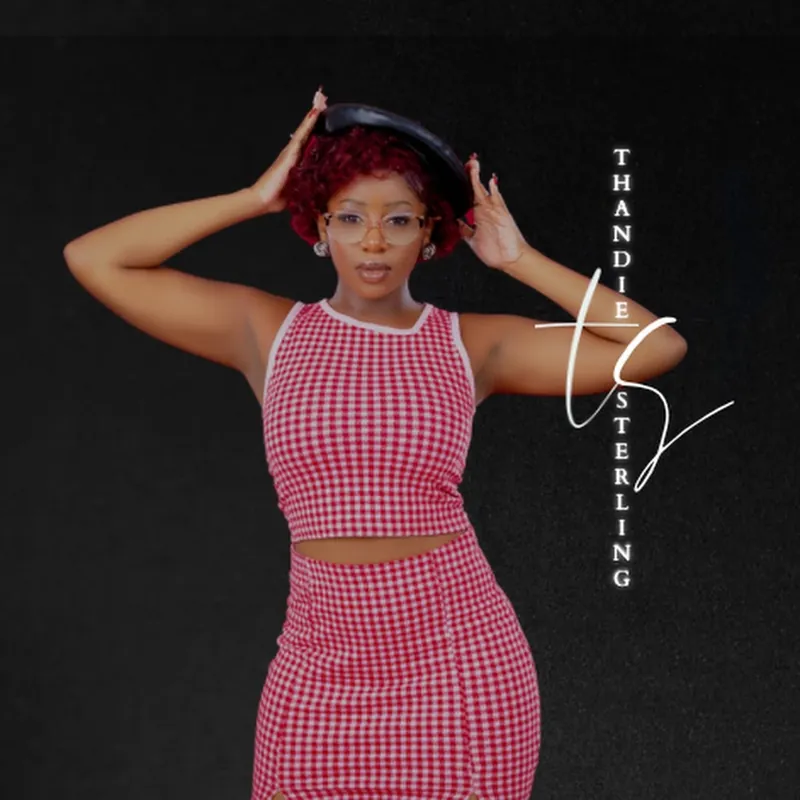
Tea Time With Thandie is a good example of a clear purpose. When it launched on Spotify on 28 June 2026, Thandie wrote on Instagram that the podcast was born out of a desire to create “a space for honest, deep, and authentic conversations”. She added that her prayer is for every episode to draw people “closer to the heart of God”.
Your purpose will shape every other decision, from the guests you invite to the length of each episode.
Count the cost
Jesus once asked, “For which of you, intending to build a tower, does not sit down first and count the cost” (Luke 14:28, NKJV). A podcast takes time every week, for planning, recording, editing and sharing. Be realistic about how often you can publish, and pick a schedule you can keep.
Choose a format
Spotify’s own guide to starting a podcast lists formats including solo, interview, roundtable, narrative non-fiction and fiction (Spotify for Creators). For a Christian podcast, you might choose:
- Solo reflection: you and a Bible passage, with your own reflections
- Conversations: a host and a guest talking honestly
- Testimony: people telling their stories of faith
- Bible study: working through one book of the Bible over several episodes
Pick a name and make cover art
Your name should tell people what to expect. Your cover art is often the first thing a new listener sees.
Apple’s show cover guidance gives a size of 3000 x 3000 pixels. For shows submitted by RSS feed, Apple accepts square artwork from 1400 x 1400 up to 3000 x 3000 pixels, and says the largest size is preferred. Files should be PNG or JPG, with no transparency (Apple Podcasts for Creators). Apple also advises making the title clear and easy to read at small sizes, and limiting extra text or logos.
Record your first episodes
You don’t need expensive kit at the start. A few simple habits help:
- Record in a quiet room.
- Keep the microphone a steady distance from your mouth.
- Do a short test recording and listen back before a full session.
- Record two or three episodes before you launch, so you have some in hand.
Publish on Spotify
Spotify says it has made Spotify for Creators “free for everyone, all the time”. According to Spotify’s help pages:
- You can upload audio as MP3, M4A or WAV files (Spotify for Creators support).
- On the web, you click New episode, select your file, then give the episode a title and description.
- You need to verify your account before you can publish.
- You can publish straight away or schedule an episode for later. Publish times are shown in your local time.
- Video episodes are possible, but videos are only available on Spotify. On other platforms, your episodes are audio only (Spotify for Creators support).
Tea Time With Thandie launched on Spotify on 28 June 2026 with a short trailer, then released episodes weekly on Thursdays at 7pm. A trailer gives new listeners a quick idea of the show, and a regular slot helps them know when to expect you. You can hear the trailer on the podcast page.
Get onto Apple Podcasts and other apps
Shows hosted on Spotify for Creators appear on Spotify automatically. For other apps, Spotify says you need to submit your show to each one yourself. You will need your RSS feed, which is in Settings, under Availability.
Apple’s help page explains that you add a show in Apple Podcasts Connect by entering your RSS feed URL (Apple Podcasts for Creators). Apple says every show has to pass technical checks and a review process before it becomes available.
Prepare each conversation
“Let your speech always be with grace, seasoned with salt, that you may know how you ought to answer each one.” (Colossians 4:6, NKJV)
That verse fits podcasting well. Some habits that help:
- Write a short outline, even for a relaxed chat.
- Check every Bible verse you quote against a reliable translation.
- If you talk about sensitive subjects such as mental health or abuse, add helpline details to your show notes.
- Ask guests’ permission before sharing their stories, and tell them how the episode will be used.
Keep going
Growth can be slow. Be faithful with the episodes you make, however small the audience feels. In the book of Zechariah, God asks, “For who has despised the day of small things?” (Zechariah 4:10, NKJV).
Share new episodes with your church and friends. You can also post short clips on social media. Thandie’s TikTok, for example, includes clips from the podcast alongside her spoken word.
If you have a creative calling but feel nervous about being seen, read Christian creatives: using your gifts without hiding them. For help with the bigger question of purpose, see how do I know what God is calling me to do?
To hear how one Christian podcast sounds, listen to Tea Time With Thandie.
Scripture taken from the New King James Version®. Copyright © 1982 by Thomas Nelson. Used by permission. All rights reserved.